 on September 6, 2026
An SEO friendly website starts with how your site is built, rather than what’s written on it.
Now, many businesses begin with keyword research, blog posts, title tags and meta descriptions because these are important parts of SEO. While that’s true, search engines can only use these SEO elements if they can access the pages where you’ve added them.
Before your content can show up in Google Search, search engine crawlers need to find and read your web pages first. If your website structure gets in the way, even the best content won’t appear in search results.
In this guide, we’ll cover how website architecture, technical SEO, page speed and mobile usability set your site up for long-term search engine optimisation.
The first place to start is the structure underneath every page.
Website Structure and Technical SEO Best Practices
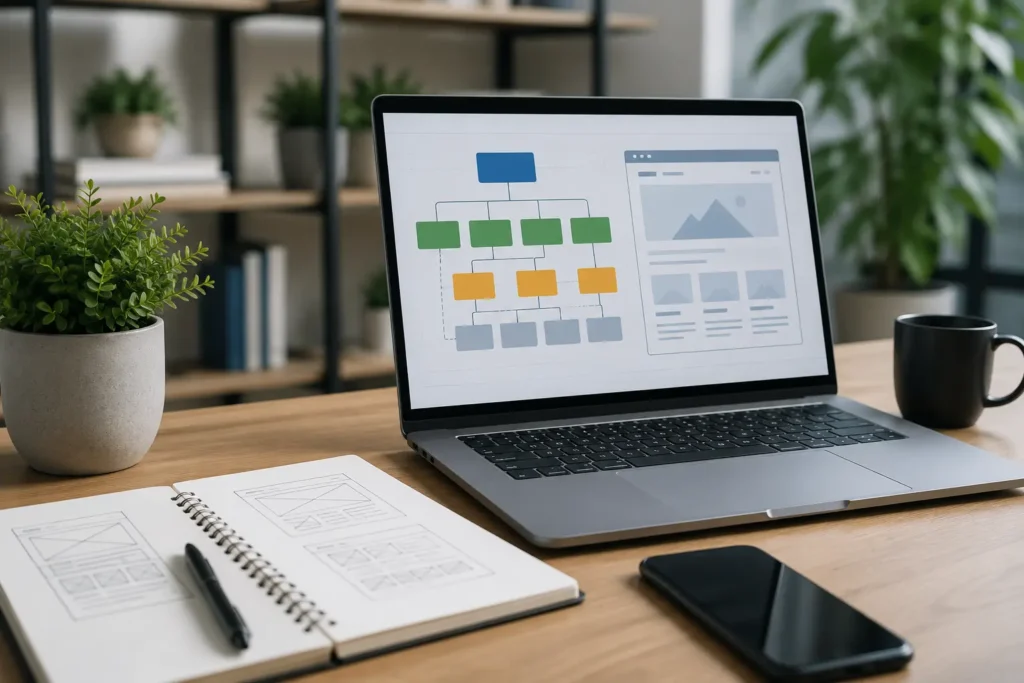
Your website structure and technical SEO decide whether search engines can find and understand your web pages. A well-organised site helps Google crawl every important page without getting lost.
Here are the areas that affect how search engine crawlers move through your site.
How Website Architecture Improves Crawlability and Site Structure
Website architecture is the layout that decides where your pages sit and how they link to each other. Think of it like a supermarket. The products you need are in there somewhere, but without clear aisles or signs, you’d wander around for ages trying to find them.
A logical, hierarchical structure works the same way for your site. It gives both visitors and search engine crawlers a clear path to follow. This means keeping your important pages within two or three clicks of your homepage, rather than buried under layers of menus that most people won’t click through.
Your URL structure is another part of how your website is organised. For example, a descriptive URL path like /services/web-development tells people and search engines what the page covers before anyone clicks on it. Compare that to something like /page?id=4827, which tells nobody anything.
These are the kind of decisions that are much easier to make during web development, before a site fills up with hundreds of pages.
How Internal Links Help Search Engines Understand Important Pages
Internal links are the connections between related pages on your own site. They serve your visitors and search engines at the same time. Visitors use them to find relevant pages and browse naturally. And search engine crawlers follow them to discover new pages and figure out how your content relates to each other.
Now, if a page has nothing linking to it, it becomes what’s called an orphan page. The content on that page might be genuinely useful, but because no other page points to it, crawlers and users struggle to reach it. Over time, that page slowly drops out of search results.
External links play a different role altogether. They can support your claims or direct readers to useful information on other websites. However, links to external sites can’t replace strong internal linking between the pages on your own website.
How Google Search Console Identifies Crawl and Indexing Problems
Technical SEO refers to the behind-the-scenes work that helps search engines crawl, understand, and index your website. It boils down to three questions:
- Can Google find the page?
- Can Google access it?
- Can Google understand where it belongs on your site?
An XML sitemap helps with the first question. It’s a single file that lists your important URLs, so search engines don’t have to rely on links alone to discover all the pages on your site.
After your site goes live, Google Search Console lets you monitor how search engines crawl and index your pages. It shows which pages have been found, which ones ran into errors and where the problems sit.
For example, you might find that Google can’t access a page because of a misconfigured robots.txt file. Just keep in mind that Google Search Console shows you what’s happening. It doesn’t fix anything for you, so you still need to act on what it reports.
How to Fix Duplicate Content Issues and Multiple URLs
Your CMS (Content Management System) or development setup can sometimes create multiple URLs that show the same content.
This often happens through trailing slashes, session IDs or separate HTTP and HTTPS versions of the same page. For example, Google might see yoursite.com/services and yoursite.com/services/ as two different pages with identical content.
While duplicate content isn’t an automatic penalty from Google, it does confuse search engines about which version to display in search results. And that confusion can split your page authority between the duplicates.
The fix usually involves three things: consistent URL handling across your site, redirects where needed and canonical tags that tell Google which version to index.
We recommend setting up these rules during development to save time. Trust us, you don’t want to be cleaning up hundreds of messy URLs six months into a project.
Web Development for Better Page Speed, Core Web Vitals and Mobile SEO

Your site structure affects page speed, mobile performance and the way Google evaluates the user experience. Poor development choices create problems that no amount of content can fix later.
So let’s look at what to get right during the build.
Why Page Speed Should Be Planned During Web Development
You’ve probably clicked a search result only to wait for the page to load while the layout shifts around. When that happens, most visitors leave before the page finishes loading. This can hurt both user experience and SEO, as Google considers page experience signals, including loading performance, when evaluating pages for search.
Development choices cause most speed problems. And these are the common ones:
- Oversized Images: A single uncompressed banner image can be several megabytes in size. That alone can add seconds to your load time, and most visitors won’t wait around for it.
- Excessive JavaScript: Too many scripts can put extra strain on the browser, which makes your website slower to load and respond. This often happens when JavaScript is used for too many features at once, such as animations, pop-ups and interactive tools.
- Unnecessary Plugins: Every plugin you install adds its own code and server requests. Often sites run 30 or 40 of them and wonder why their pages take eight seconds to load.
- Inefficient Asset Delivery: Your server sends files like images, fonts and stylesheets to every visitor. Without proper caching or a content delivery network, it rebuilds those files from scratch each time instead of serving stored copies.
All of these sit within web development, instead of content writing. So handing speed problems to an SEO specialist after launch will cost you more time and money than planning for them upfront.
How Core Web Vitals Measure Real User Experience
Once your site loads quickly, the next question is how it actually feels to use. Core Web Vitals are Google’s way of scoring that experience for real visitors.
It covers three Google metrics that assess how well a website performs for visitors. They measure loading speed, visual stability, and how quickly a page responds to user interactions. But instead of thinking of these Core Web Vitals as technical jargon, try asking three questions your visitors are already asking themselves:
- Largest Contentful Paint (LCP) → Does the main content show up quickly?
- Cumulative Layout Shift (CLS) → Does the page stay still while it loads, or do buttons and text jump around?
- Interaction to Next Paint (INP) → Does the page respond quickly when someone clicks or taps something?
You can check your own scores using Google’s PageSpeed Insights tool. A good Core Web Vitals score supports an SEO friendly website and keeps visitors on your pages longer. But even perfect scores can’t save weak or irrelevant content. The technical and content side need each other to work properly.
Descriptive Alt Text, Structured Data and Multiple Languages
Speed and stability aren’t the only things your development team can set up early. Your website templates and CMS can also support several other SEO foundations right from day one.
Each page should have fields for a unique title tag and meta description, while every meaningful image should have a field for descriptive alt text.
Your heading structure is important too. A clear flow from H1 down to H3 helps both users and crawlers follow what each page covers.
And if your business serves customers in multiple languages, your CMS should support hreflang tags (such as hreflang=”en-au” for Australian English or hreflang=”en-gb” for British English). These tell search engines which version of a page to show based on a visitor’s language or region.
Build SEO Into Your Website From the Start

So, what does this all mean for your next website project? It comes down to getting the foundation right first.
Website architecture gives your content a clear structure, internal links connect important pages, and technical SEO helps search engines find and understand them. Page speed, Core Web Vitals and mobile-friendly development then help create a smoother experience for visitors.
Once that groundwork is in place, keyword research and relevant content give those pages something worth ranking for. There’s also search intent, competition and content quality that influence how much organic traffic you can attract.
Don’t forget that good web development can’t solve every SEO challenge. But it can prevent technical issues from making those challenges harder.
If you’re building a new site or rethinking an existing one, Plugins Electronix can help you get the technical side right from the start.