 on December 28, 2025
Your website needs to work for two audiences at once: people searching for your services and Google’s crawlers indexing your pages. That means balancing what looks good with what actually ranks.
When your design team and SEO team work separately, things go sideways. You end up with a site that either looks stunning but sits invisible on Google, or ranks well but looks so dated that visitors bounce within seconds.
The fix is simple: treat SEO and web design as one job from the start, not something you patch together later. When both work together, you get a site people can actually find and want to stick around on once they arrive.
This guide shows you why keeping these two separate costs you traffic and sales, plus how to get them working together properly.
What Happens When SEO and Design Don’t Work Together?
You end up with a site that either looks stunning but sits invisible in search results, or ranks well but drives visitors away instantly. One team prioritises aesthetics while the other focuses on keywords, and neither talks to the other.
That disconnect creates three problems you can’t afford to ignore.
Slow Sites Tank Your Search Rankings
If your site takes longer than 3 seconds to load, 53% of mobile visitors are likely to leave before seeing anything. That’s over half your potential customers gone instantly, and it gets worse. Search engines track page speed as a major ranking factor, so slow sites get pushed down while faster competitors move up.
Mobile Unfriendliness Destroys Organic Traffic

Google uses mobile-first indexing, which means your mobile version determines how you rank. If your site looks broken on a phone, your rankings suffer.
For example, when mobile users land on a site, they expect to navigate easily and find what they need. If the layout is confusing or the buttons are too small, they’re likely to leave. Search algorithms watch that behaviour closely. High bounce rates signal your content isn’t working, which drops your rankings even further.
Poor Navigation Confuses Users and Crawlers
Confusing navigation frustrates visitors while hiding your pages from search engines. Crawlers follow internal links to find and index content, so unclear menus hide important pages from discovery.
When crawlers can’t reach your pages through logical navigation paths, they can’t index them properly. Your best content stays buried regardless of quality, and your rankings stay low because search engines never see what you’re offering.
How Your Website Layout Shapes Organic Search Results
Google doesn’t just read your words. It looks at how everything’s organised. That structure tells search engines what your page is about, and a better structure helps them categorise and display your content accurately.
Here’s what a good layout does for your organic search results:
- Clear Content Hierarchy: Proper H1, H2, and H3 tags show search engines which information is most important on each page.
- Faster Crawling: A site with a logical structure lets search engines find and index all your important pages efficiently.
- Better User Signals: When people land on your site and stay to read, Google sees that as proof your content is useful.
- Lower Bounce Rates: Clean layouts keep visitors engaged longer, which tells search algorithms your page deserves to rank higher.
Poor structure does the opposite. It confuses crawlers, which means your web pages get indexed under the wrong topics or not at all. Beyond that, cluttered designs with too many pop-ups make visitors bounce quickly, and search engines interpret that as your content missing the mark.
Why Your Website Powers Your Google Business Profile
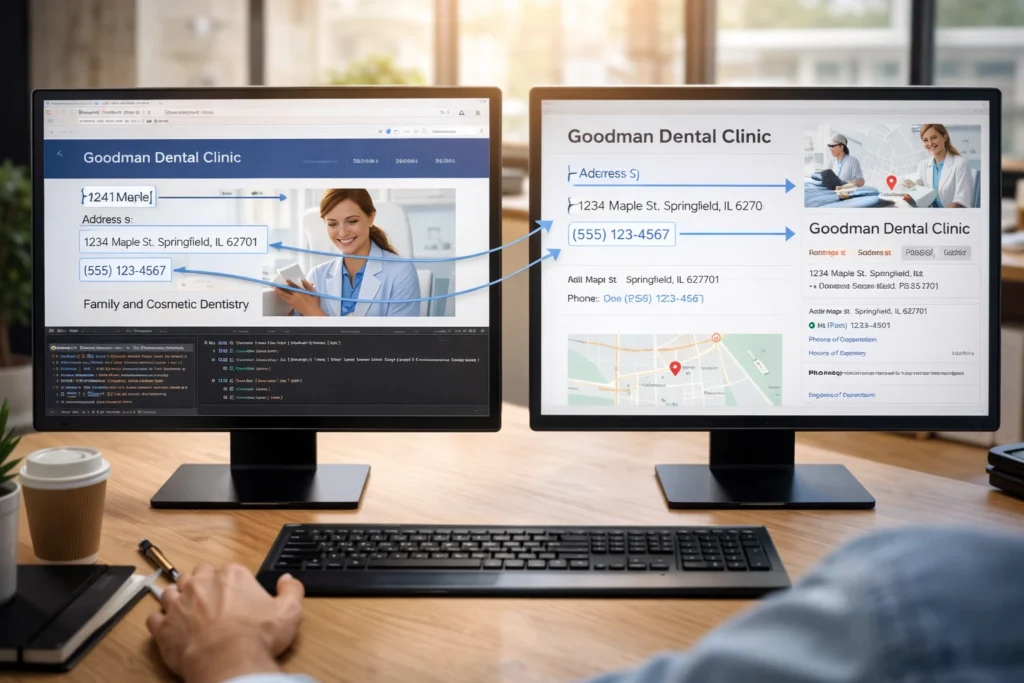
A well-designed website feeds accurate information straight into your Google Business Profile. That means your profile can pull details like your address, phone number, and services directly from structured data on your site. When these details are consistent and easy to find, your profile looks complete and trustworthy to people searching for local businesses.
Missing or conflicting information makes Google hesitate to display your business prominently in the local pack. For example, if your website shows one address but your profile lists another, Google doesn’t know which to trust. The result? Your business gets pushed down in local search results while competitors appear instead.
Beyond basic contact info, quality content on your website gives Google more context about what your business does and who it serves. The more relevant information search engines can pull from your site, the better they understand where to show your profile in search results.
Building SEO Into Design: Where to Start
We’ve built sites for everyone from small Brisbane cafes to enterprise clients, and the ones that perform best always have SEO baked in from the start. In our experience, two simple tweaks can improve site speed and search visibility right away:
High Quality Images That Don’t Slow You Down
Large image files create a visual impact, but they drag down your site speed without proper compression. Tools like TinyPNG or built-in CMS compression reduce file sizes while keeping images sharp and clear. The reason this works is simple: smaller files load faster without losing quality.
Choosing the right image format is also important. For instance, WebP works well for photos because it compresses efficiently, while SVG suits logos and icons since they scale without losing sharpness. Using the right format for each image keeps load times down without sacrificing quality.
Descriptive Alt Text and Meta Descriptions Done Right
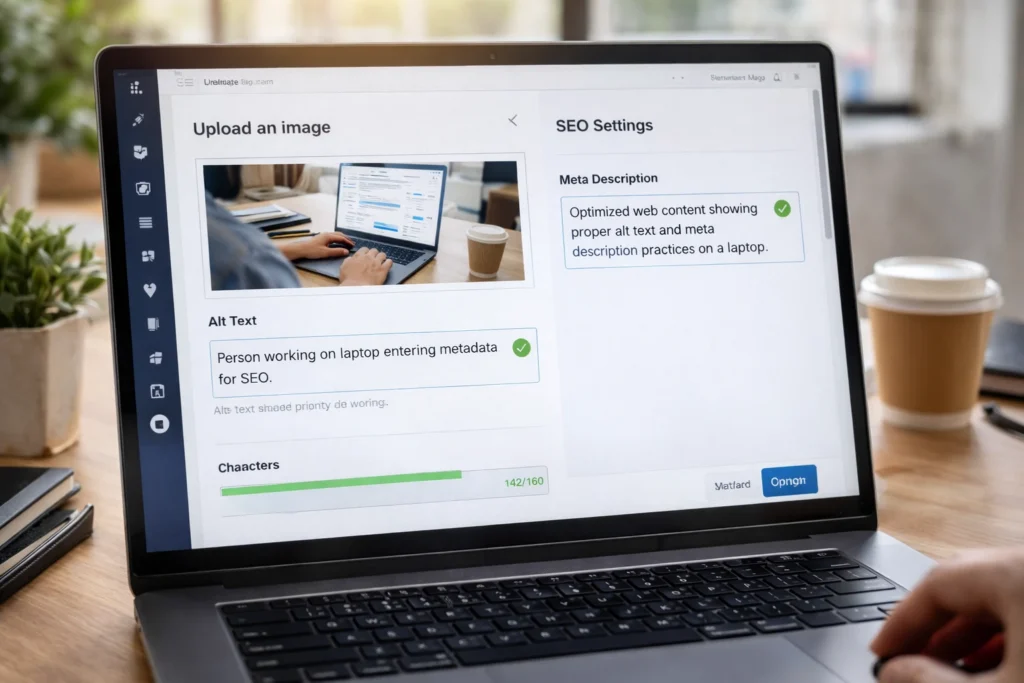
Alt text tells search engines what’s in your images because they can’t see visual content. Screen readers also use alt text to explain images to visually impaired users and improve accessibility alongside SEO. Keep it specific and under 125 characters so it displays properly across devices.
Meta descriptions don’t affect rankings directly, but they strongly influence whether people click your result. A good meta description sets expectations by explaining what the page covers in plain language. When it matches what someone is searching for, they’re more likely to choose your page over the others.
Like alt text, meta descriptions should be specific and readable, not packed with keywords. Keep them concise so they display fully in search results and accurately reflect what visitors will find on the page.
Why Local SEO Falls Apart Without Thoughtful Design
Most local businesses bury their contact details in the footer, where nobody looks. The thing is, local businesses tend to get better results when location details are easy to find and mobile-friendly. Displaying your address, opening hours, and contact details prominently helps searchers confirm you’re nearby and available right now.
A well-designed contact page with an embedded map makes this even clearer. It shows both visitors and search engines exactly where you operate, and Google uses that information to decide whether to show your business in the local pack. If your location details are hidden or hard to access, you simply won’t appear when people search for services in your area.
Mobile design plays a role here, too. Simple features like click-to-call buttons let local customers reach you with one tap instead of copying numbers. Similarly, service area pages that clearly list the suburbs you cover help Google understand your reach.
These design choices directly influence whether you appear in local search results or get overlooked while competitors show up instead.
How Messy Site Structure Creates Duplicate Content Problems

When your site architecture isn’t clear, similar pages often get multiple URLs, even if they cover the same topic. For example, “plumbing services” and “professional plumbing” might end up as separate pages with nearly identical content.
Search engines then struggle to decide which page deserves to rank. The result? Neither page performs as well as it could, because Google is unsure which version to show in search results.
Proper site structure fixes this. Using canonical tags signals the main page to search engines, and a clean URL hierarchy ensures each page has a distinct purpose. When your architecture is organised, Google indexes the right content and your pages stop competing against themselves.
Start Building With Both Teams in the Same Room
Fixing a site after launch costs three times more than building it properly the first time. We’ve seen it happen with large-scale projects where teams had to start from scratch because design and SEO were treated as separate jobs.
When both sides understand each other’s goals, you build a site that looks great and ranks well. Your design team knows which elements affect page speed and crawling, while your SEO team understands how to work within design constraints without compromising the user experience.
If you’re planning a new site or redesign, contact us to discuss how we can build SEO into your design from the start. We’ve helped businesses across Brisbane create sites that rank well and convert visitors, and we can do the same for you.