 on January 20, 2026
Poor site architecture limits SEO growth because search engines can’t efficiently understand which pages deserve priority in your rankings. Because your website structure acts like a roadmap for Google. So, when that roadmap has dead ends, confusing turns, and missing signs, search engines struggle to find your best content.
Frankly, most site owners never think about their site structure until their pages stop ranking. They’ve probably spent hours writing great content, but ended up sitting on page five of search results. Here, the problem isn’t always content quality.
This article breaks down exactly why poor website architecture kills your SEO performance and what you can actually do about it. Plus, you’ll learn how search engines read your site, which common structure problems block growth, and the specific fixes that help pages rank.
So, keep reading to understand what’s holding your site back.
Site Architecture: The Foundation Search Engines Truly See

Your site architecture is like a filing system where search engines decide what’s important based on how you’ve organised everything. When you build a logical site structure like this, Google can figure out which pages are significant and how they connect.
Let’s start with the relationship between your site architecture and search engine crawlers:
How Search Engines Read Your Site Structure
Search engines read your site by assigning importance based on how close pages sit to your homepage in the hierarchy. So, pages that are one or two clicks away get more attention than pages buried five clicks deep.
Generally, search engine crawlers start at your homepage and follow internal links to discover other pages. Here, logical categories also help them to understand what your site’s content actually covers. For example, if you run an E-commerce site, clear product categories tell Google exactly what you sell.
That’s how, when pages are grouped properly, search engines understand the relationship between different pages instead of treating everything as random web pages.
Understanding Crawl Budget for Growing Sites
Google allocates a limited crawl budget based on your overall site’s authority and perceived value. You can think of this crawl budget as how many pages Google will bother checking during each visit. So, if your site has a messy structure, it wastes crawl budget on duplicate pages instead of your key pages (and yes, Google’s basically rationing how much attention your site gets).
Based on our firsthand experience with client audits, most sites have hundreds of pages that Google never crawls. Instead, an efficient site architecture with few well-structured pages ensures crawlers spend time on the site, which drives organic traffic.
Verdict: Low crawl depth means important pages get indexed faster, and crawl frequency improves across your site.
Common Site Architecture Problems That Block Growth
The tricky part about architecture problems is that they’re completely invisible until you notice pages aren’t ranking despite solid content. On the surface, they might look fine, but search engines see something different when they crawl your site.
Here are a few common site architecture problems that you should pay attention to:
Deep Page Burial and Poor Content Categories
Many sites bury valuable pages under multiple category layers that require four or five clicks to reach. This four or five-page depth indicates higher crawl depth. Because of this, some pages rarely appear in Google search, as crawlers stop before reaching them.
Vague content categories also confuse both users and search engines about what the site truly wants to say (we’ve seen e-commerce sites with products buried seven clicks deep). When search engines can’t figure that out, your site struggles to rank in search results.
Orphaned Pages With Zero Incoming Links
Your pages without any internal links pointing to them become invisible to search engine crawlers. These orphaned pages never appear in Google search results, regardless of how good the content is.
Drawing from our experience with client audits, most sites have 20-30 orphaned pages sitting on servers doing nothing. But you could have your best content trapped on those pages that Google never knows.
JavaScript Navigation That Blocks Crawler Access
Generally, Google can only crawl your link if it’s an <a> HTML element with an href attribute. When that structure isn’t used, dynamic menus built in JavaScript can prevent crawlers from discovering linked pages at all.
Search engines have improved at rendering JavaScript, but still miss navigation links hidden behind complex interactions. That’s why sub navigation that relies on hover states can block access to entire sections of your site structure.

Good Site Architecture: What Truly Works
Good site architecture isn’t complicated, but it does require thinking about how users and search engines navigate through your website. We’ve seen sites that rank well are often organised more cleanly than sites that struggle.
Here’s what works in building a good architecture:
HTML Sitemaps as Discovery Pathways
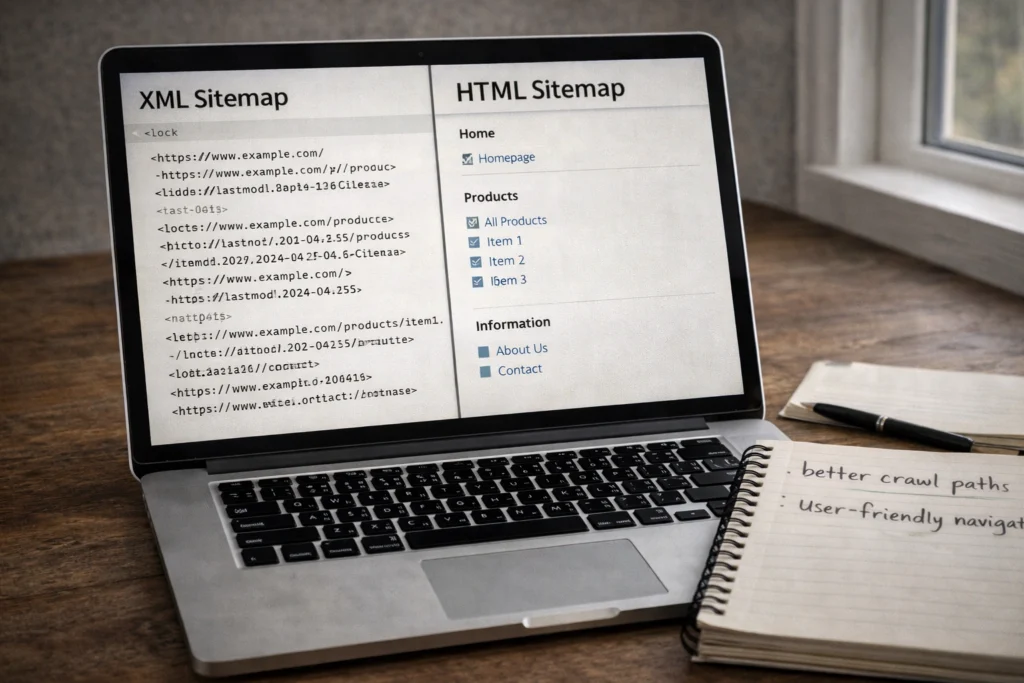
Have you heard of HTML sitemaps? They give users a bird’s eye view of all available content that is organised logically. They also create direct links to deep pages that might otherwise require multiple navigation clicks to reach.
Based on our firsthand experience, sites with HTML sitemaps see better crawl frequency. That’s because search engines use these as backup pathways when they can’t find certain pages through regular navigation.
For your information, XML sitemaps tell Google which pages exist, but HTML sitemaps directly help users find relevant pages.
Strategic Internal Linking Based on Topic Clusters
Topic clusters connect related content through contextual links, showing topical authority to search engines. That’s how pillar pages link to cluster content, and cluster pages link back to form a strong site structure.
What does this mean in practice, though? Well, if you write about technical SEO, your pillar page covers the broad topic. Then, individual pages on topics like site speed and crawl depth link back to the pillar page using keyword-rich anchor text.
This model distributes page authority while keeping content clusters logically organised. Plus, those internal links help Google recognise topic relationships and support higher rankings.
Poor Architecture’s Real Impact on Rankings
The revealing part about architecture issues is that they explain why competitors outrank you, even with weaker content. Your site’s content might be brilliant, but if Google can’t crawl it properly, none of that brilliance shows up in search results.
Let’s have a look at what truly happens when your website structure falls apart:
- Indexation Problems: Google’s index misses your important pages entirely because the crawl depth is too high. At the same time, search engines waste crawl budget on duplicate URLs rather than conversion-focused pages.
- Ranking Confusion: Search engines often struggle to determine which individual pages deserve priority in organic search results. That’s why, without a clear site hierarchy, your best content competes against itself instead of ranking for relevant keywords.
- Traffic Loss: Believe it or not, competitors with cleaner structure outrank you even when your site’s content quality is objectively better overall. This way, more organic traffic flows to sites where pages rank consistently because their architecture makes sense to Google.
Bottom line: Poor site architecture puts a cap on site performance, regardless of how much effort goes into content creation.
Time to Audit Your Site’s Foundation
Your site architecture determines how well search engines can find, crawl, and rank your pages. If your structure has problems, no amount of content will fix the issues that are blocking your growth.
Start by checking Search Console for orphaned pages and crawl errors. Then, look at your crawl depth and make sure internal links create clear paths to important pages.
If you need help auditing your website structure and implementing fixes that increase SEO, Plugins Electronix can build an architecture that drives organic traffic.
So, get in touch to see what’s holding your site back.